Aadhar Card Download
Your Trusted Guide to Aadhaar Services
Your Trusted Guide to Aadhaar Services
The Aadhaar card, issued by the Unique Identification Authority of India (UIDAI), is one of the most essential identity documents for residents across India. Keeping your Aadhaar details accurate is important to avoid discrepancies and ensure smooth access to services.
Whether you need to update your address, phone number, name, or other details, UIDAI provides both online and offline methods to make corrections easily.
Latest Update
Good News: UIDAI has extended the deadline for free Aadhaar updates on the myAadhaar portal until June 14, 2026. Offline updates at enrolment centers may still carry a ₹50 service charge.
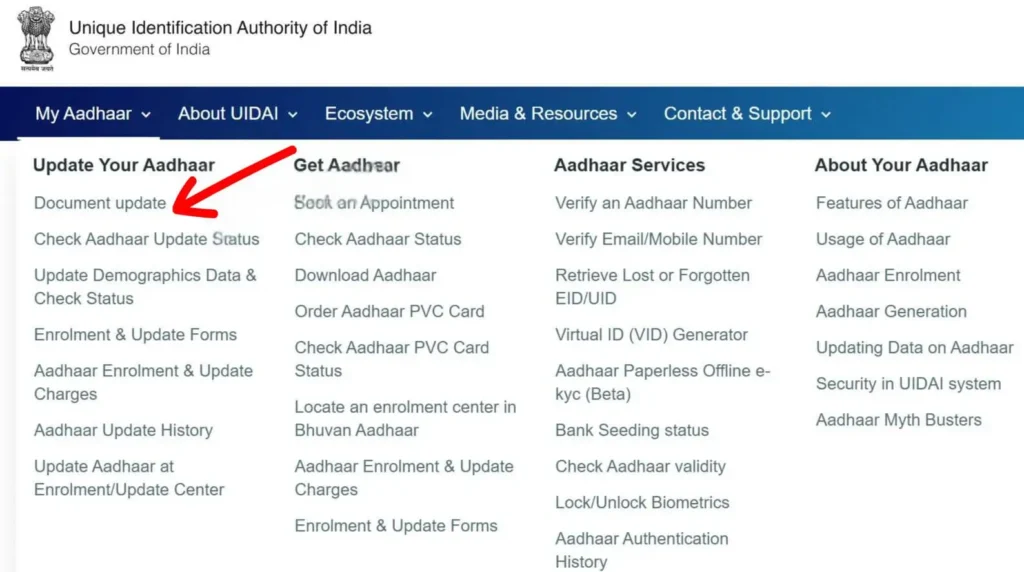
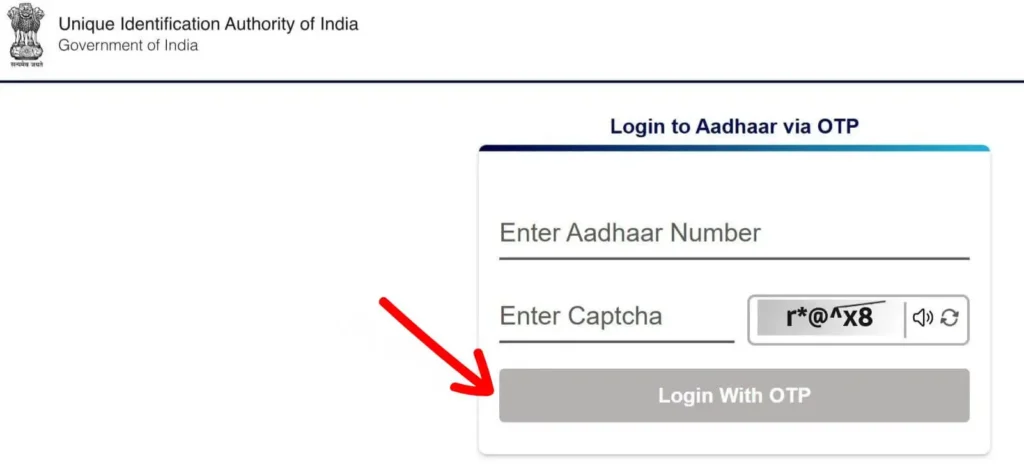
Important: Once submitted, your update will be processed, and you can later download your updated Aadhaar to confirm the changes.
Note: Resident Foreign Nationals can use the Head of Family (HoF) method to update their address if they share a valid family relationship (e.g., parent, spouse, child, legal guardian). For minors (under 18), HoF must be either a parent or guardian.
If your Aadhaar isn’t linked to a mobile number, you’ll need to update it offline. Here’s how:
You can also download the correction form for children (age 5–18) from UIDAI.
Note: At Aadhaar enrolment centers, you can update demographic data (name, address, DOB, gender, mobile number, email), upload new documents (PoI, PoA), or update biometrics like fingerprints, iris scan, and photo.
To make updates, you’ll need to provide valid documents as proof of identity (PoI) and proof of address (PoA).
| Document | POR | DOB |
|---|---|---|
| Birth Certificate from authorized registrar | ✔️ | ✔️ |
| Indian/Foreign Passport | ✔️ | ✘ |
| Nepal/Bhutan passport or alternate proof | ✔️ | ✘ |
| Document Type | PoI | PoA | POR | DoB |
|---|---|---|---|---|
| Indian Passport | ✔️ | ✔️ | ✔️ | ✔️ |
| PAN Card / e-PAN | ✔️ | ✘ | ✘ | ✘ |
| Ration Card with photo | ✔️ | ✔️ | ✔️ | ✘ |
| Voter ID | ✔️ | ✔️ | ✘ | ✘ |
| Driving License | ✔️ | ✘ | ✘ | ✘ |
| Govt./PSU Service ID | ✔️ | ✘ | ✘ | ✔️ |
| Pensioner ID Card | ✔️ | ✘ | ✔️ | ✔️ |
| Disability ID Card | ✔️ | ✔️ | ✘ | ✘ |
| Utility Bill (last 3 months) | ✘ | ✔️ | ✘ | ✘ |
| Field Name | What to Do |
|---|---|
| Date of Issue | Write in DD-MM-YYYY. Use within 3 months. |
| Resident Category | Mention if you are a Resident or NRI. |
| Enrolment Type | Choose “New” or “Update Request”. |
| Aadhaar Number | Fill only if requesting an update. |
| Full Name | Write exactly as you want it printed. |
| C/o (Care of) | Optional. Fill if applicable. |
| Address Fields | Enter house no., street, locality, etc. |
| Post Office, District, State, PIN Code | Enter accurately. |
| Date of Birth | Format: DD-MM-YYYY |
| Signature | Sign or thumbprint in the box provided. |
| Photograph | Paste a recent passport-sized color photo. Certifier must cross-sign and stamp. |
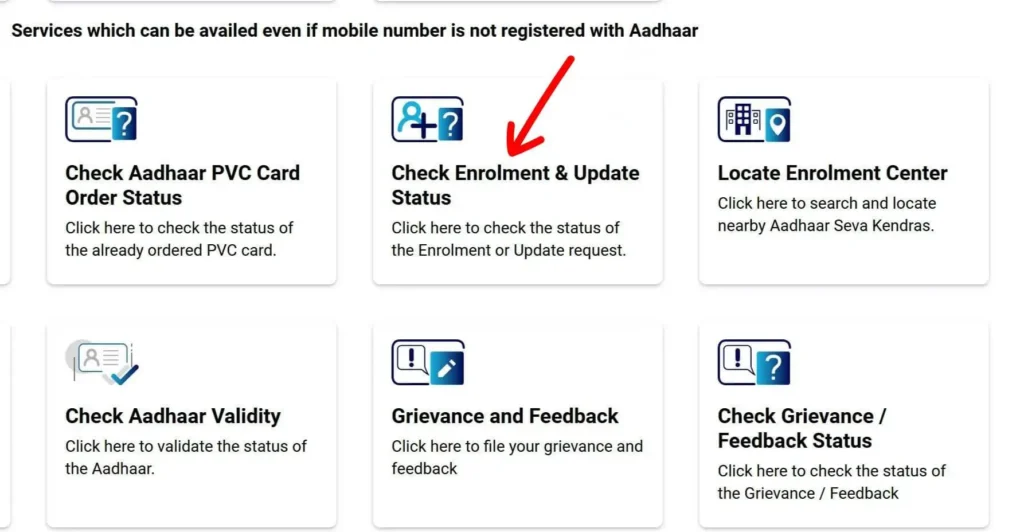
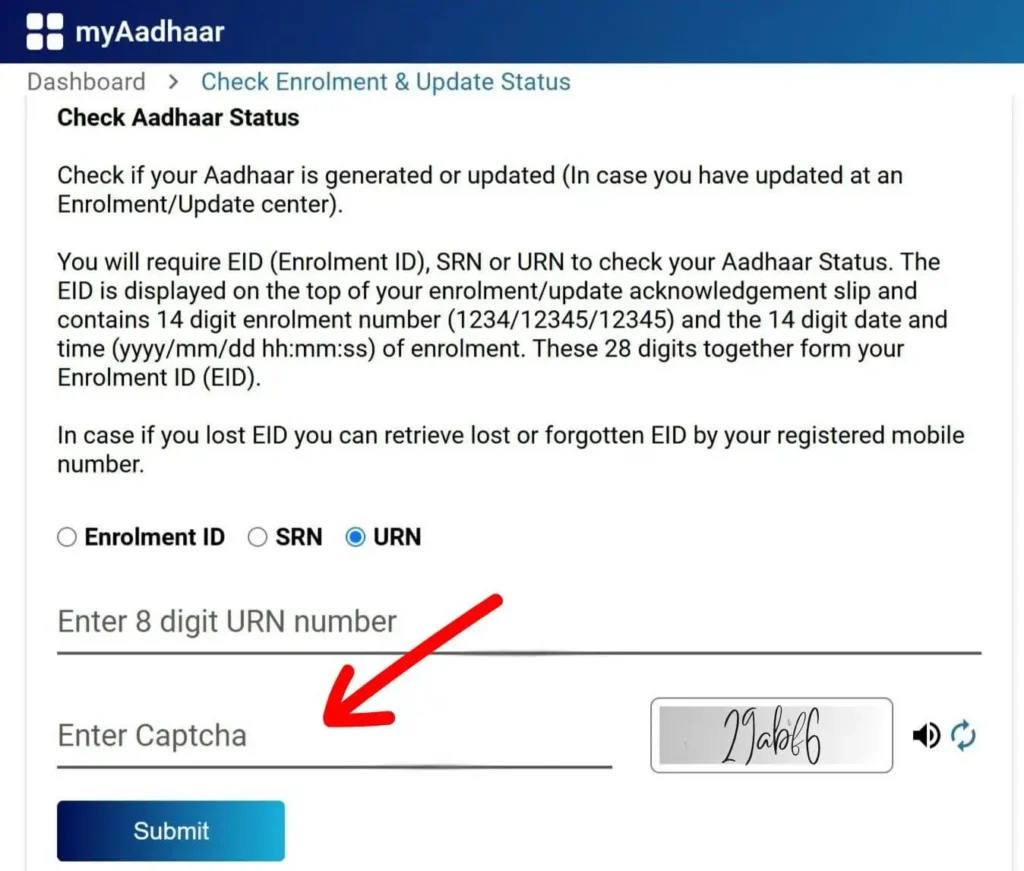
Note: Most updates are processed within 7–10 business days.
Tip: To find an Aadhaar Enrolment Center near you, use the Bhuvan Locator Portal: https://bhuvan-app3.nrsc.gov.in/aadhaar